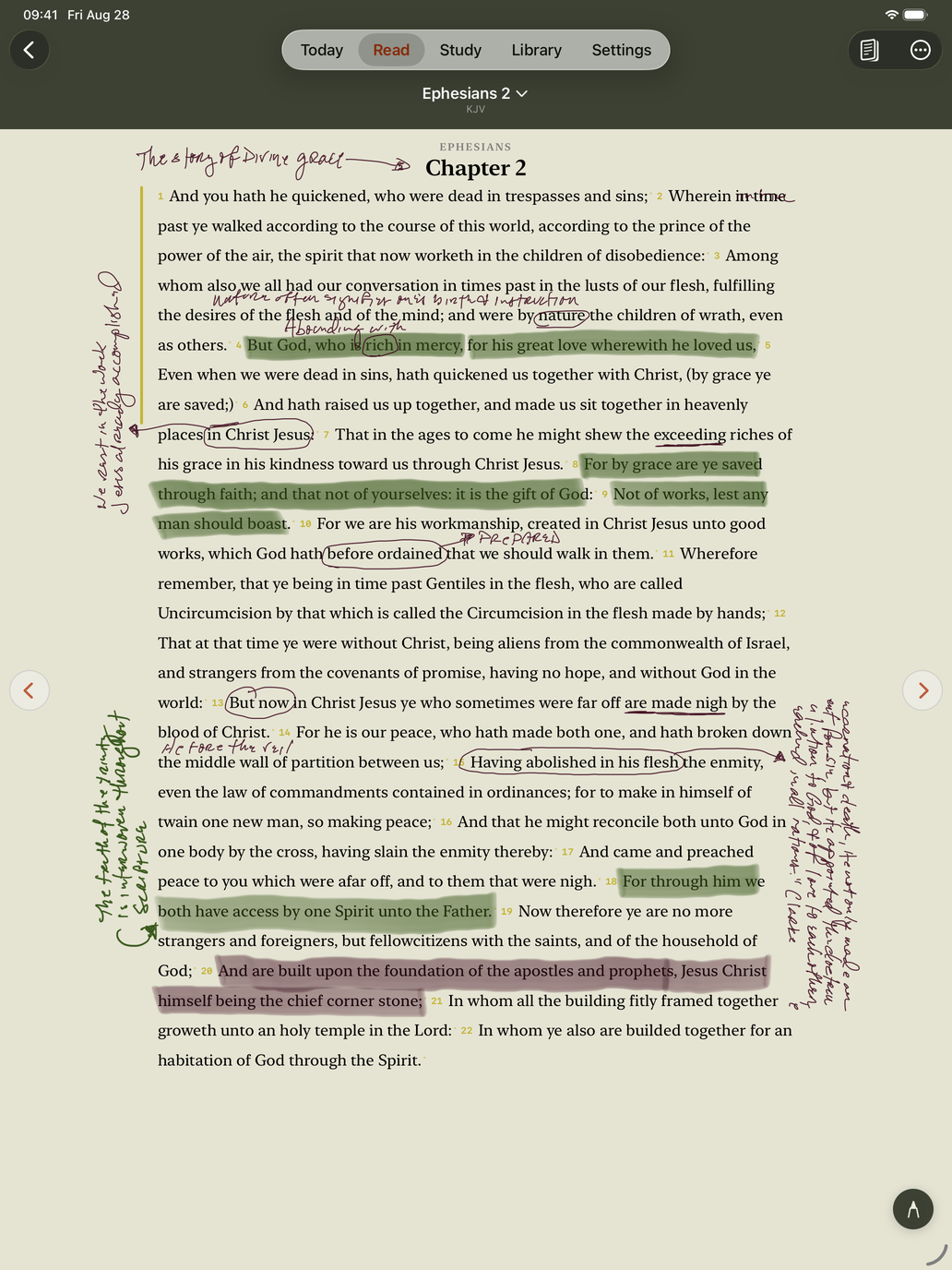
Ephesians 2, in the author's own hand, pulled off a real iPad.
iPad & Apple Pencil
The margins of a paper Bible are where study actually happens. On iPad, an Apple Pencil writes anywhere on the page — and every stroke stays tied to the verse it belongs to.
Handwriting needs an iPad and an Apple Pencil. Everything else in The Pillar is the same on iPhone.
Ephesians 2, in the author's own hand, pulled off a real iPad.
Change the type size, come back a year later, open it on your other iPad: your notes are still beside the words you wrote them about.
Your finger still scrolls and still selects. Pick up the Pencil and write; put it down and read. The palette — tips, colors, eraser, lasso — appears with your first stroke.
Writing in the margin travels with the verse into every translation, English or Spanish. Writing over the words themselves lives in the translation you wrote it in, the way it would in a paper Bible; other translations show a small clay pencil on the verse number, and one tap takes you back to it.
Small things that add up
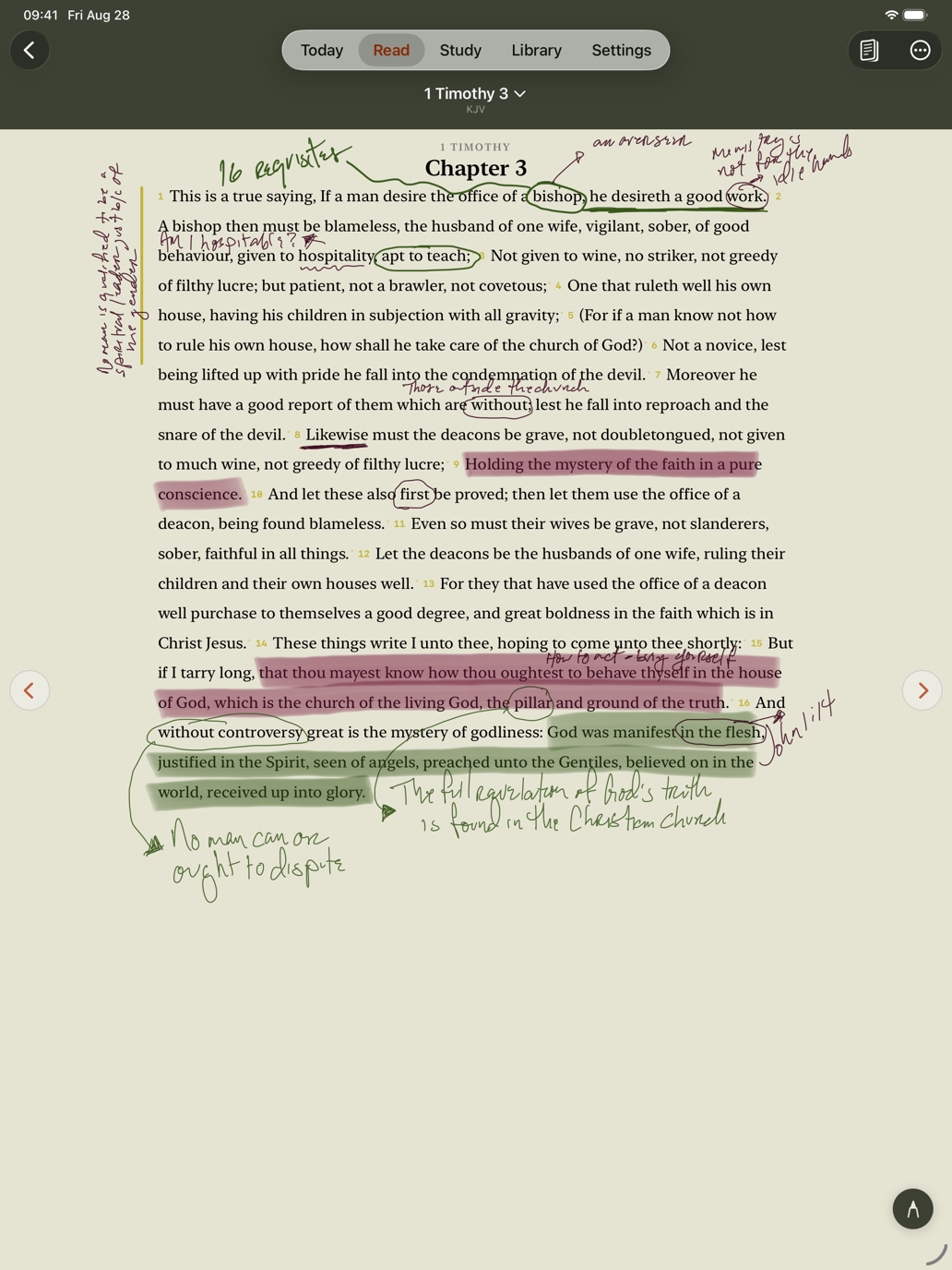
Sweep the Pencil across the words to highlight them. Sweep across a highlight to take it off — the preview turns gray so you know which will happen.
Circle some ink with the lasso and drag it. It re-anchors to whatever verse you drop it beside.
Draw a line, arrow, box or circle freehand and hold the Pencil still for half a second. The stroke snaps clean, in the same ink. Lift without holding and it stays exactly as you drew it.
While the palette is up, a faint line marks the edge of the text column, so you can see where the margin ends and writing over the words begins.
Beyond the margins, a journal page for prayers, reflections and the sermon's outline — typed or handwritten, on the same cream paper.
Handwriting syncs through your own iCloud to your other devices. On iPhone, a marker on the verse number shows there's ink from your iPad, and a tap opens it.
Being straight with you
The licensed translations can't be written over. The New King James, NASB, Christian Standard Bible, New Living Translation and The Message are shown live under their publishers' terms, which don't allow their text to be altered or stored. Margin writing works in all of them; writing over the words needs a public-domain study copy, which The Pillar asks you to choose once.
Writing over the words is tied to how you were holding the iPad. The words reflow when the iPad rotates, and ink can't follow them without landing on the wrong line. So it's shown in the orientation it was written in; the other way up, the clay pencil on the verse number stands in for it. Margin writing has no such limit.
One purchase covers iPhone and iPad. Seven days free.
Download on the App Store